
Connect what the job uses with how the job is defined.
RADYS allows specific products to be associated with a service and applied through measurable rules.
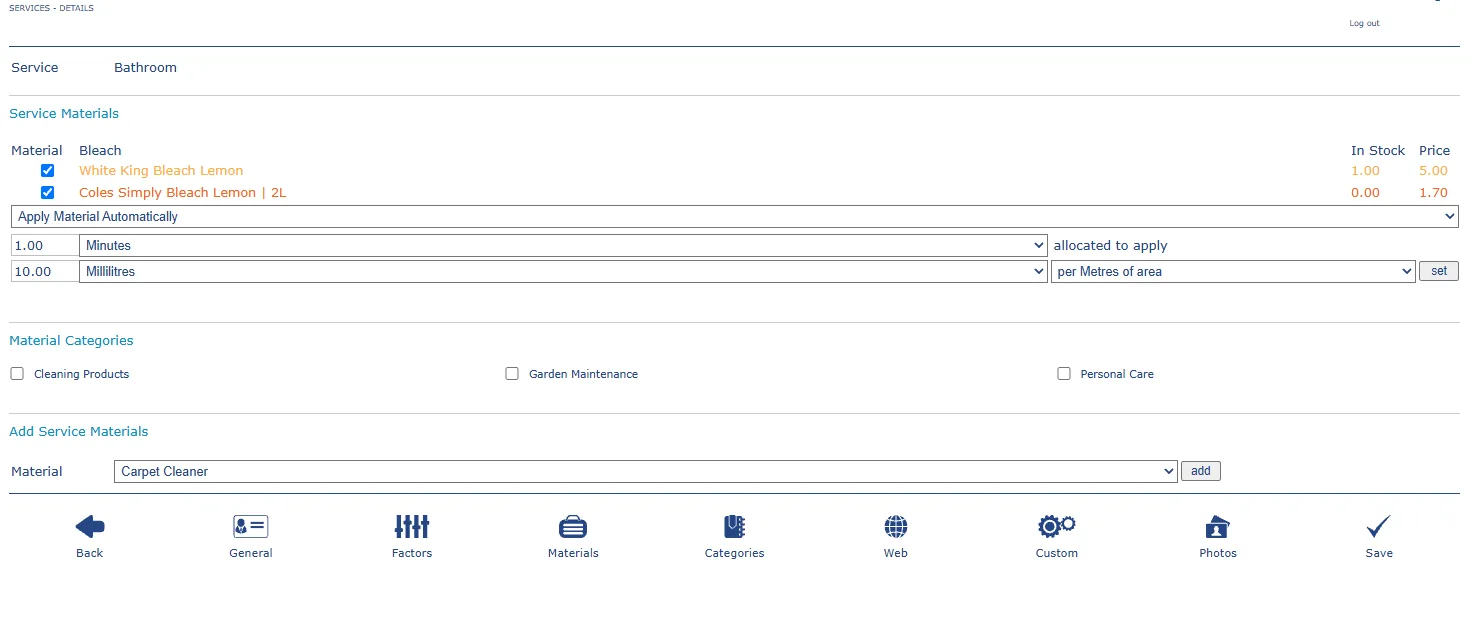
Prepare the right quantity, not just the right product.
A service can reference stock, price, unit and application rules. Quantities may be allocated directly or linked to measures such as time or area.
Associate the material or preferred product with a service.
Define quantity, units and how the material should be applied.
Support preparation, pricing, stock awareness and service delivery.
Example
A bathroom service may specify cleaning products, the units used and a quantity calculated against minutes or metres of area.
The interface screenshot supplied for this website shows product selection, stock, price and material application fields.
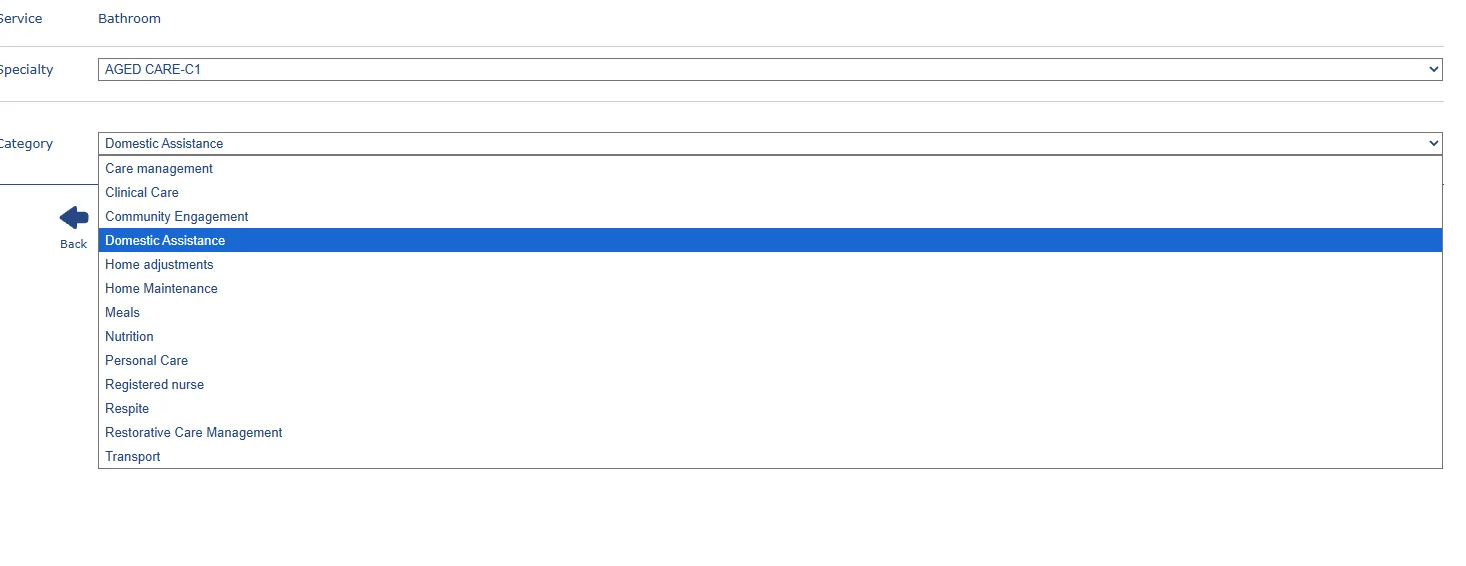
Materials sit inside a wider operating structure.
Categories and specialties help organise which services, rules and materials apply in different areas of the business.
Ready to move from exploring to setting up?
Enter the basics, choose your specialty and prepare your RADYS subscription workspace.