Rates and factors
Billing, pay, reserves, margins, payroll and other calculations.

RADYS brings operational settings, expense metrics, invoicing controls and financial comparisons into the same system as daily work.
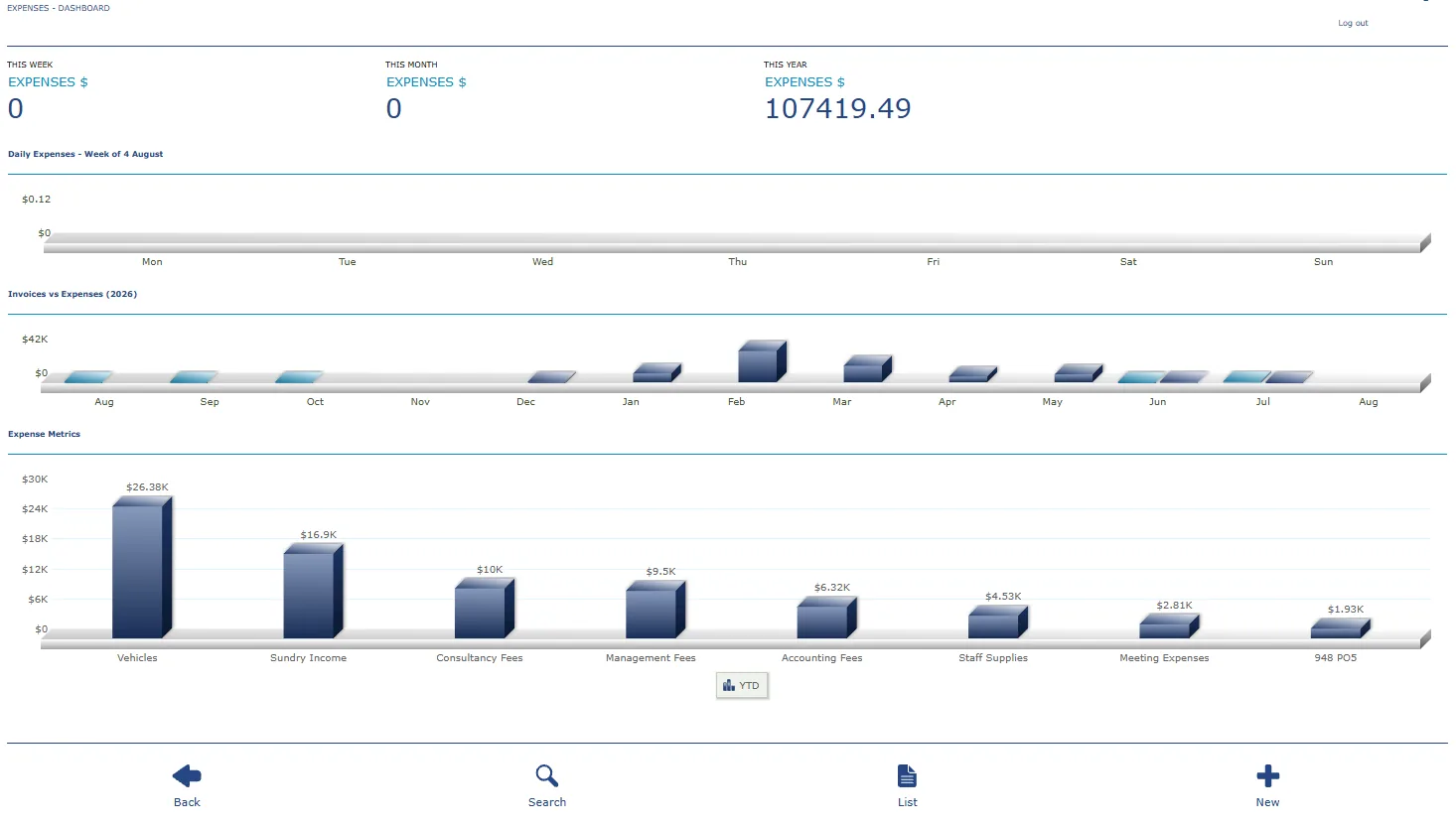
The expense dashboard provides weekly, monthly and annual totals, invoice-versus-expense comparisons and expense category metrics.
Review selected periods from a dashboard.
Understand where operating expenses are concentrated.
Compare invoicing and expenses over time.
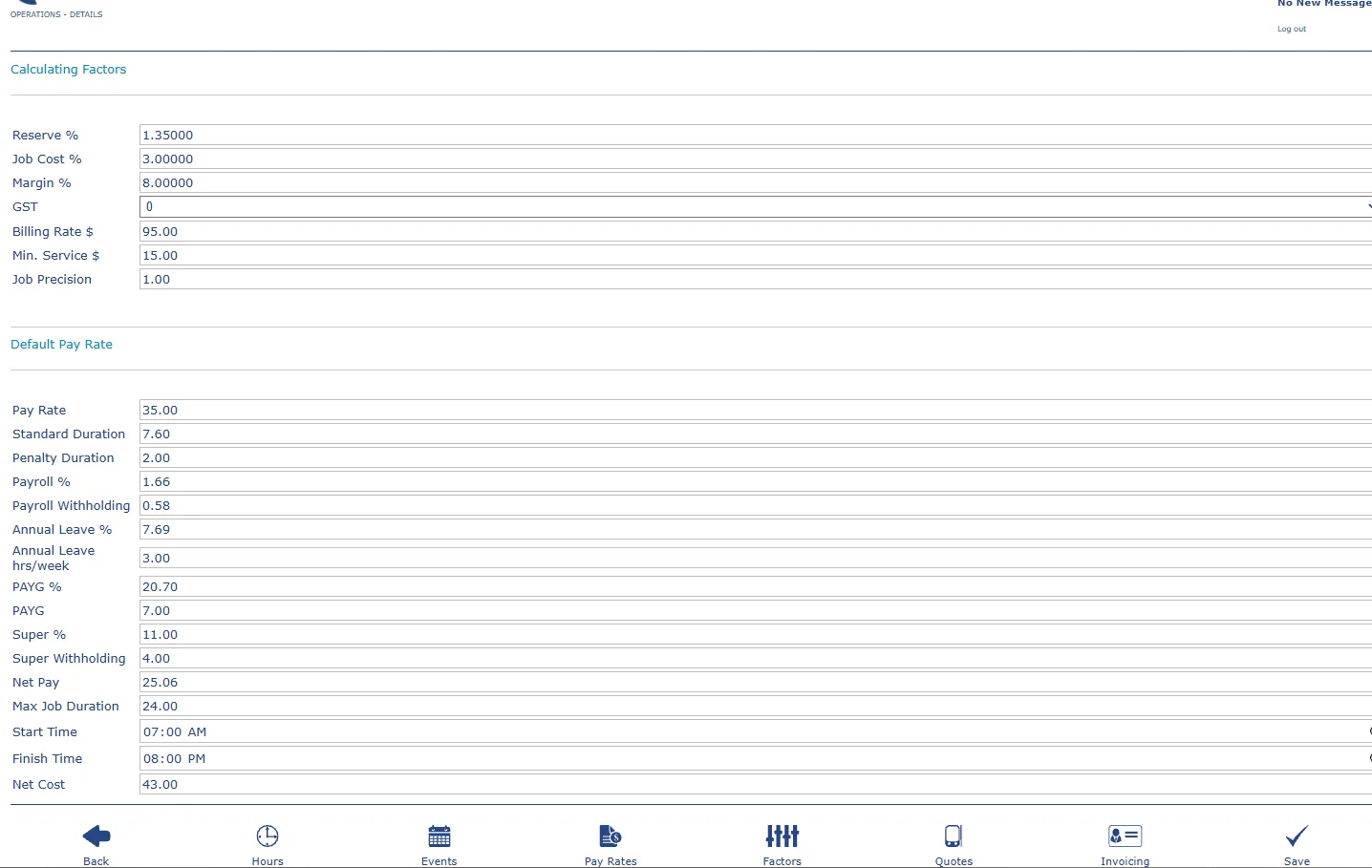
Business-level factors can shape quotes, pay, hours, invoicing and operational behaviour.
Billing, pay, reserves, margins, payroll and other calculations.
Terms, purchase orders, attachments, job entries and presentation.
Controls that support how the subscription is organised and used.
Enter the basics, choose your specialty and prepare your RADYS subscription workspace.
Set up the basics, choose your specialty and prepare a RADYS workspace around the way your field service business works.